How to sign a Unifor Digital membership card


If you have already signed your Unifor membership card, you can share this email with a coworker. We want to ensure everyone knows the steps to sign a card. A few people still need to complete all the steps required for a successful card.
Billy
How to sign a Digital Unifor membership card
Step 1
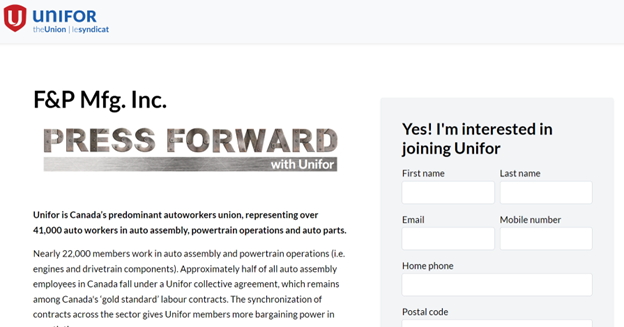
Your Unifor organizing campaign will provide a weblink to a campaign page for many of our organizing drives. For your organizing campaign at F&P manufacturing, that link is www.join.unifor.org/fp
Once you click the link above, you will be directed to the first step to stay connected to your organizing campaign. You will be asked to provide your name, email, and phone number. All information is kept strictly confidential and will only be used by Unifor to communicate with you about the union.
Once completed, click “submit”. Note that this is not the union card itself but is a necessary step to verify & track members in our confidential database.
Step 2
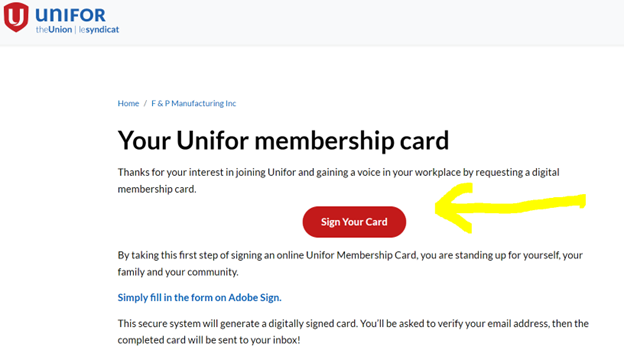
You will now be directed to a new page that will provide you with the link to sign your Unifor membership card using Adobe Sign. Adobe provides a secure method for the union to gather membership cards required to apply to the Ontario Labour Relations Board for a union vote when we have the required support in the workplace. Click on the “Sign your Card” to move forward to the union membership card. You will also receive an email from the union providing the link to sign a card.
Step 3
Now, you need to sign the Unifor membership card using Adobe. The information you provide on your union membership card is confidential. Your employer will never know who filled out a union membership card.
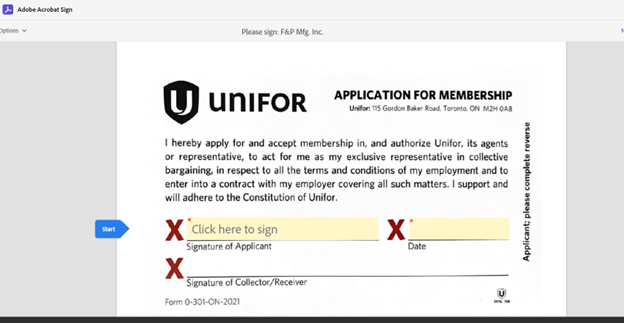
You will be prompted to fill in all the fields on your Unifor membership card. Once you have completed all the fields and signed and dated your card, click the “Click to Sign.”
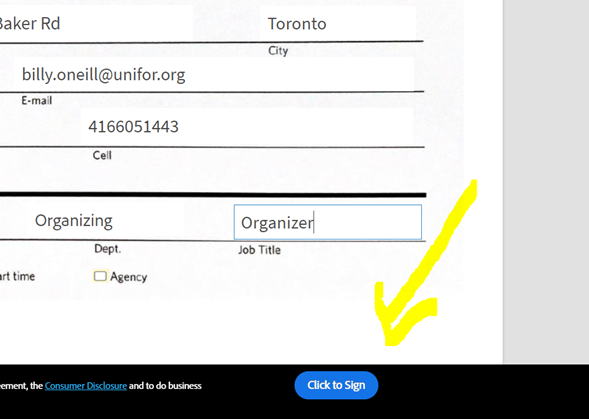
A box will pop up asking you to enter your email address. Once you add your email address, Adobe will confirm your email to ensure you complete the union membership card.
Check your email inbox for a message from “Adobe Sign” and click “Confirm my email address.” This step is essential for your union membership to be valid with the Ontario Labour Relations Board.
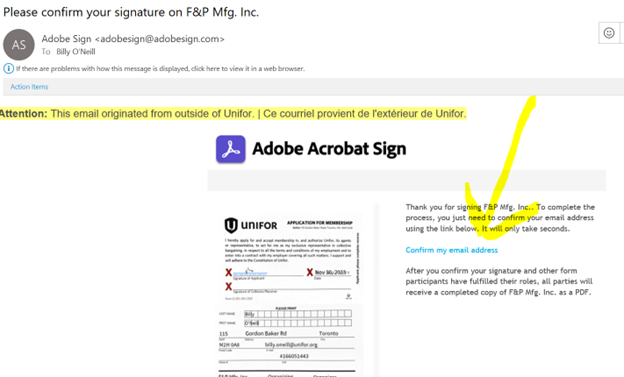
Once you complete this final step, the union organizer will sign that they received your card, and you will receive a finished copy with all signatures in your email.
Please share this info with your coworkers who still have not signed their Unifor membership card.
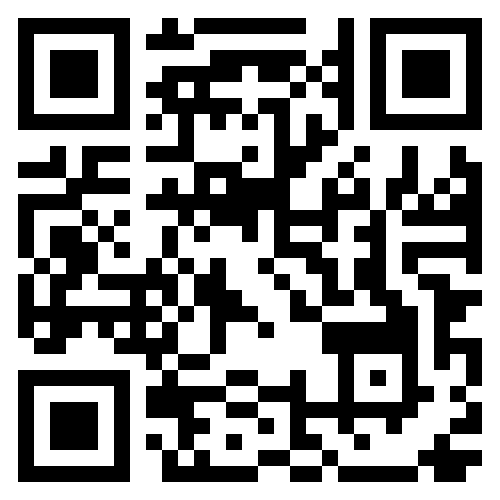
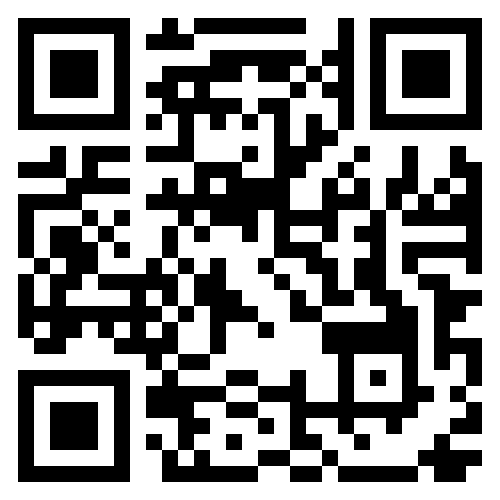
You can also share the link to our website join.unifor.org/fp , where we will keep adding more news and information and share the QR code with your coworkers.
In Solidarity
Billy O'Neill
[email protected]
416.605.1443